Trivia Game: Millionaire Quiz
- 4.3
- Rating
- 1.00M
- Installs
- Free
- Price

 Analysis by App-foxy
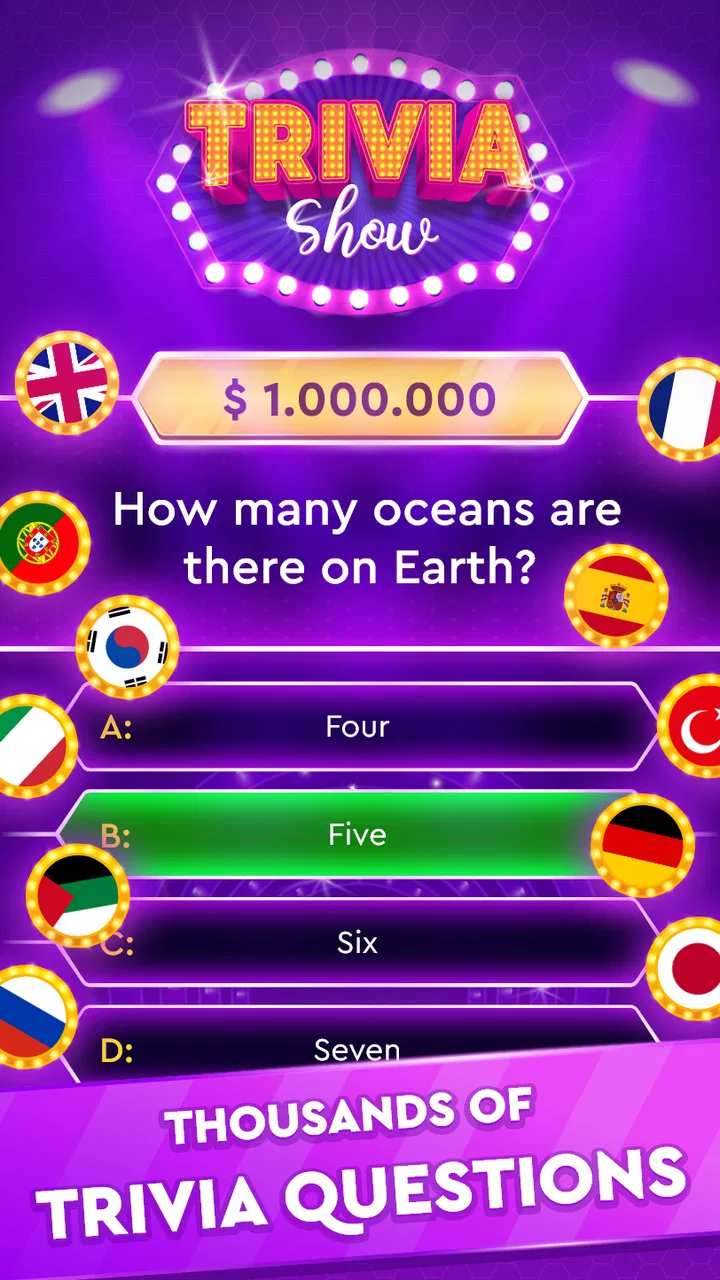
I enjoy trivia games most when they make a spare five minutes feel useful without demanding a long tutorial. Trivia Game: Millionaire Quiz takes that simple approach: open it, answer a question, and keep going while the next challenge is still fresh in your mind. It is a free trivia game from Clappy LLC, aimed at general audiences and suitable for Everyone, with a straightforward format that works well for casual solo play.
After spending time with it, I see the appeal clearly. This is not trying to replace a full classroom study tool or a highly competitive quiz platform. Its strength is convenience. The questions give me a quick mental workout, and the millionaire-style presentation adds a little tension to choices that might otherwise feel like ordinary flashcards. The experience is easy to understand, but getting the most from it depends on how deliberately I use it.
How the everyday quiz routine feels
My normal routine starts with a short session rather than treating the game like a long campaign. I launch it when I have a break, read the question carefully, and resist tapping the first familiar-looking answer. That small pause matters because trivia often uses wording that tests precision more than memory. A question may seem obvious until I compare every option instead of reacting to one recognizable word.
You May Also Like

 Blood Strike: 2.5 Anniversary
Blood Strike’s Loadouts Turn Every Drop Into a Tactical Gamble
A close look at Blood Strike’s custom loadouts: how fast access to signature weapons reshapes its battle royale rhythm, rewards preparation, and narrows the gap between fights.

 Pandora - Music & Podcasts
Pandora’s Music Is Easy to Start, but Harder to Recover
Pandora’s strength is its low-effort path from a seed to a station. Its weak spot is how much confidence it asks you to place in connection, setup, and quiet recovery.

 8 Ball Pool
 Is Built on Rivalries, Rematches, and Routine
A close look at the rivalries, rematches, shared routines, and unanswered safety questions that turn a quick pool match into a persistent mobile community.

 Samsung Music
’s Quiet Strength Is Playing What You Already Own
Its reach comes less from spectacle than from dependable access to a personal library. That simplicity is both the app’s strongest retention engine and its ceiling.

 AccuWeather: Weather Radar
AccuWeather Review: A Quick, Clear Forecast for Everyday Decisions
For everyday plans, the best forecast is the one you can understand quickly. AccuWeather makes rain timing, radar, and local conditions easy to act on, with a few trade-offs.

 Hill Climb Racing
Why Hill Climb Racing Still Turns Crashes Into One More Run
A tiny car, a bumpy hill and one more upgrade: Hill Climb Racing keeps resurfacing because its simple chaos makes every near-miss feel personal.
More From Our News Desk



The basic loop is useful for several kinds of players. If you want light entertainment, the game gives you an immediate activity. If you like testing general knowledge, it creates a simple reason to keep checking what you remember. If you are trying to build a habit of learning small facts, repeated sessions can make trivia part of a daily routine, even though the game itself should not be mistaken for a structured course.
I find the millionaire format especially helpful for creating a sense of progress inside individual questions. Even when the subject is familiar, the possibility of losing momentum makes me think more carefully. That tension is mild rather than overwhelming, so it suits people who want a relaxed quiz more than people looking for a serious tournament environment.
The game is also positioned as an offline-friendly experience, which changes how I use it. A trivia app that can be opened away from a stable connection is practical for travel, waiting rooms, or a commute where service is unreliable. I can treat it as a pocket activity instead of something that requires planning around a network. I still prefer to begin a session with the app already ready, because interruptions are less annoying when I am not trying to start a timed-feeling challenge in a difficult environment.
One realistic use case is a short evening routine. I might play a few questions after dinner, then stop before the session becomes tiring. On another day, I can use it during a queue instead of opening a social feed. The important advantage is not that every session becomes deeply educational; it is that the game lowers the effort needed to choose a constructive distraction.
That convenience comes with a trade-off. Random trivia can jump between subjects without warning. I may move from history to science, then to entertainment or geography, depending on the question flow. I enjoy that variety, but someone studying one specific subject will probably find a dedicated learning app more efficient. This game is better at broad recall and curiosity than at building a carefully ordered syllabus.
The public response suggests that the format has reached a substantial audience: it has more than a million installs and a 4.3 average from roughly 27 thousand ratings. I read that as evidence that the basic concept works for many people, not as a guarantee that every question will match my interests. A trivia audience is naturally mixed, and enjoyment depends heavily on whether the question selection feels fair and varied to each player.
What I check before settling into a session
I do not rush past the available settings and store details. The current version is 1.75, and the game supports Android 7.0 or later, so compatibility is worth checking before downloading it to an older device. The game is free to start, which makes trying it low-risk, but it includes optional in-app purchases ranging from $0.99 to $29.99 per item. I would personally review purchase controls before handing the device to a child or using it on a shared account.
The Everyone age rating makes the game approachable for families, but an age label does not automatically make every session equally suitable for every child. I would still play alongside younger users at first, especially to see whether the difficulty and question topics fit them. That also turns the app into a conversation starter rather than a silent screen activity. Adults can ask why an answer was chosen, and children can explain their reasoning even when they miss the question.
One practical habit is to check how the device handles sound and notifications before playing in public. Trivia does not need to be loud to be enjoyable, and a quiet session is often more convenient in a waiting area or shared room. I also keep the phone orientation and brightness comfortable because reading questions too quickly on a bright screen can make a simple mistake feel like a knowledge gap.
I pay attention to purchase prompts without assuming they are a problem. Free games often need a way to support development, and optional spending can be reasonable for someone who enjoys the experience. My advice is to decide in advance whether the app is only a free time-filler for you or something you are willing to support financially. That decision prevents a moment of frustration from turning into an impulse purchase.
Another useful check is whether offline play fits the specific situation I have in mind. I would test the game before a flight, trip, or long journey rather than discovering at the last minute that a particular part of the experience behaves differently without a connection. The offline promise makes the app attractive for disconnected moments, but a quick personal test is still the sensible workflow for any app I plan to rely on away from home.
Small habits that make answers faster and more reliable
The first shortcut I use is not a button; it is a reading pattern. I identify what the question is actually asking before scanning the choices. Is it asking for a person, place, date, definition, or exception? This prevents me from selecting an answer merely because it is associated with the topic. In a fast trivia session, careful reading is often more valuable than trying to remember every fact instantly.
When I know only part of the answer, I eliminate choices in stages. I remove options that conflict with the wording, then compare the remaining possibilities. This is more dependable than guessing from the longest answer or the one that sounds most official. The millionaire-style structure makes this approach feel natural because the game encourages me to treat each question as a decision rather than a random tap.
I also separate confidence from familiarity. Seeing a name before does not mean I know the correct context. If two answers look plausible, I ask myself which one directly satisfies the question instead of which one I recognize most strongly. That habit is useful beyond the game, especially when trivia exposes how easily memory blends related facts together.
A repeatable routine can improve the experience without inventing a complicated training system. I play one short session for enjoyment, notice which subjects caused hesitation, and use that observation to guide what I read or discuss later. The game itself remains the quick test, while outside reading supplies the depth. This is a better use of the app than expecting random questions to provide a complete education on their own.
For family play, I would turn missed answers into explanations rather than corrections. A wrong response can lead to a quick conversation about why another option fits. That makes the game less discouraging and gives the question a longer life than the few seconds spent answering it. It also helps younger players understand that trivia is about learning patterns, not proving that they already know everything.
For solo play, I prefer stopping after a satisfying run instead of continuing simply because another question is available. Repetition can sharpen recall, but tired attention produces careless mistakes and makes the app feel less enjoyable. A short, regular habit is more sustainable than one long session followed by a week of ignoring it.
These habits reveal one of the game’s real strengths: it has a low barrier to entry but still rewards thoughtful play. I do not need a complicated strategy guide. I need to read accurately, eliminate weak options, and recognize when my confidence is based on a vague association. Those are modest skills, but they make the ordinary question loop feel more engaging.
Where the experience is strong and where it reaches its limits
The broad trivia focus is the clearest advantage. I can move between subjects without preparing a playlist or choosing a lesson. That makes the game suitable for people who enjoy surprise and variety. It also gives mixed groups a chance to find occasional questions that suit different interests, although no random selection can satisfy everyone equally.
The offline angle is another practical benefit. Many quiz alternatives are built around online leaderboards, live opponents, or constant content delivery. Those formats can be exciting, but they also make the experience dependent on connectivity and sometimes on other players being available. This game is a better fit when I want an independent activity that can start immediately.
Compared with a dedicated flashcard app, however, the game is less controlled. Flashcards let me choose a subject, repeat difficult material, and measure a specific learning goal. Here, the value comes from variety and surprise. I would choose the flashcard approach for exam preparation, language vocabulary, or professional certification. I would choose this trivia game when I want general knowledge practice without building a study deck first.
Compared with live quiz platforms, the experience is calmer and less social. There is no need to coordinate with friends or worry about another player’s speed. That is ideal for a quiet break, but it may disappoint someone who needs competition, chat, or a shared scoreboard to stay motivated. If your enjoyment depends on beating people in real time, a multiplayer alternative will probably provide more energy.
The game’s simplicity can also become a limitation. A player looking for detailed explanations after every answer, carefully arranged difficulty levels, or deep progress tracking may want more structure. Trivia is most satisfying when a question teaches me something or makes me curious afterward. If the surrounding feedback is brief, I have to create that extra learning step myself through a quick search or conversation.
I also would not use it as a final authority for disputed facts. Trivia questions are designed for quick answers, while real subjects can contain nuance, regional differences, or multiple interpretations. When a question touches history, science, culture, or language in a complicated way, I treat the result as a prompt to investigate rather than the end of the discussion. That mindset keeps the game fun without asking it to do a job it was not designed to do.
There is a financial consideration as well. The free entry is appealing, but optional purchases can change how comfortable the app feels for different users. Someone who wants a completely purchase-free environment should examine the in-app flow carefully and use device-level purchase protections. For me, the right approach is to enjoy the free experience first and only consider spending if the game remains useful over time.
Who should download it and who should choose something else
I would recommend this game to casual trivia fans, families seeking a quick question-based activity, and people who want an offline-friendly way to fill short gaps in the day. It is particularly suitable for someone who likes broad topics and does not need a fixed curriculum. The millionaire presentation adds enough pressure to make familiar knowledge feel active rather than passive.
I would also suggest it to a person trying to replace low-value scrolling with a small mental challenge. It will not transform a spare minute into a formal study session, but it can make that minute more intentional. The best results come from using it regularly, stopping before fatigue, and treating difficult questions as clues about what to explore next.
I would skip it if my main goal were serious exam preparation, specialist knowledge, or systematic language learning. A focused educational tool would offer better control over topics and repetition. I would also look elsewhere if I needed live competition, detailed explanations, or a strong social layer. This app’s appeal is its independence and accessibility, not its depth in one narrow area.
Parents can reasonably consider it because the age rating is Everyone, but I still recommend setting expectations around screen time and purchases. Playing together is more valuable than simply placing the device in front of a child. The questions can encourage discussion, while the adult can help distinguish between an entertaining answer and a fact that deserves further checking.
My final view after using the full routine
Trivia Game: Millionaire Quiz succeeds because it understands the appeal of an uncomplicated question. I can open it quickly, play without organizing a group, and use it in places where an online-only game would be inconvenient. Its broad subject mix keeps sessions unpredictable, while the millionaire framing gives each answer a little more weight than a plain list of questions.
Its weaknesses are the natural limits of that design. Random trivia is not a substitute for a study plan, and a simple solo format cannot provide the excitement of live competition. Optional purchases also mean I would approach the app with sensible account and device settings. None of those points cancel out the core value, but they do define the audience that will enjoy it most.
For me, the best workflow is simple: check compatibility, review the purchase environment, test the offline behavior before relying on it, then play in short sessions with deliberate reading. I use elimination when uncertain, treat wrong answers as prompts for curiosity, and stop when attention starts to fade. Those habits make the game more rewarding without pretending it contains a complete learning system.
Clappy LLC has made a free trivia game that is easy to recommend for relaxed general-knowledge practice. With an average rating of 4.3 from around 27 thousand ratings, it has clearly found an audience, and I understand why. I would install it for travel, quiet breaks, family question sessions, or any moment when I want a little mental activity without a complicated setup. Just choose it for what it does best: quick, varied trivia with a convenient offline-friendly character, not a replacement for focused education or competitive quiz software.
FAQs for Trivia Game: Millionaire Quiz
01What is Trivia Game: Millionaire Quiz about?
Trivia Game: Millionaire Quiz is a challenging and engaging quiz game that tests your knowledge across various categories. The objective is to answer questions correctly to climb the virtual money ladder, aiming to become a virtual millionaire. The game offers lifelines and a variety of question difficulties, making it suitable for all trivia enthusiasts.
02Is Trivia Game: Millionaire Quiz free to play?
Yes, the Trivia Game: Millionaire Quiz is free to download and play. However, it may contain optional in-app purchases and ads. These purchases can enhance your gaming experience by offering additional lifelines or removing ads for uninterrupted gameplay. It's entirely possible to enjoy the game without making any purchases.
03What platforms is Trivia Game: Millionaire Quiz available on?
Trivia Game: Millionaire Quiz is available on both Android and iOS platforms. You can download it from the Google Play Store or the Apple App Store. Ensure your device meets the minimum system requirements for a smooth gaming experience. Regular updates are provided to improve the game and add new questions.
04Does Trivia Game: Millionaire Quiz require an internet connection?
While an internet connection is not strictly necessary to play Trivia Game: Millionaire Quiz, having one can enhance the experience. An active connection allows you to access updated questions, participate in online leaderboards, and synchronize your progress across multiple devices. Offline play is available but with limited features.
05Can I play Trivia Game: Millionaire Quiz with friends?
Currently, Trivia Game: Millionaire Quiz is primarily a single-player experience, focusing on personal knowledge and skill development. However, you can challenge friends by comparing scores on leaderboards or taking turns answering questions. Social features may be expanded in future updates to include more interactive multiplayer options.
Pros
- Engaging and challenging questions.
- User-friendly interface with smooth navigation.
- Regular updates with new content.
- Variety of game modes available.
- Offline play option for convenience.
Cons
- Limited lifelines in free version.
- Ads can be intrusive during gameplay.
- Occasional repetitive questions.
- Requires internet for leaderboard access.
- In-app purchases can be pricey.

Trivia Game: Millionaire Quiz
Gallery